Claim configuration
Overview
Claims are product badges configured on menu items in Deliverect and shown on the r_keeper kiosk
after menu publish. Enable a claim by setting its meta-data key to 1.
New claims and combinations of claims can be added on request. There are no technical limitations on the number of claim types that can be defined for the project.
Available claims
These claim keys are supported today (in priority order):
| Meta key | Badge |
|---|---|
claimNew |
 |
claimBestseller |
 |
claimLimited |
 |
claimSpicy |
 |
claimBacon |
 |
claimForTwo |
 |
claim18 |
 |
claimDiscount |
 |
Display layout on the kiosk
Up to 4 active claims are shown on a product. They are taken in the order listed above (first by priority). If more than four claims are enabled on an item, claims after the fourth are ignored.
Active claims are placed in a 2×2 grid starting from the top-right:
Slot 1 = top-right, slot 2 = top-left, slot 3 = bottom-right, slot 4 = bottom-left. On the product card they appear in the top-right area of the dish image.
How you fill it out in DeliverectEnable claim badges on the product via Meta data keys (value 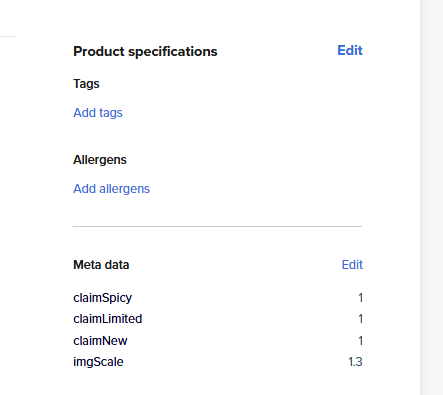
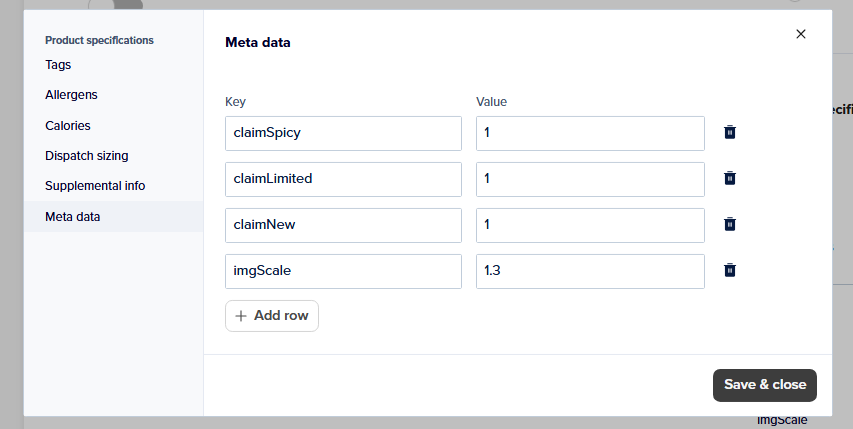
|
How you get it in r_keeper kioskEnabled claims appear as badges on the product card (max 4, layout as above). 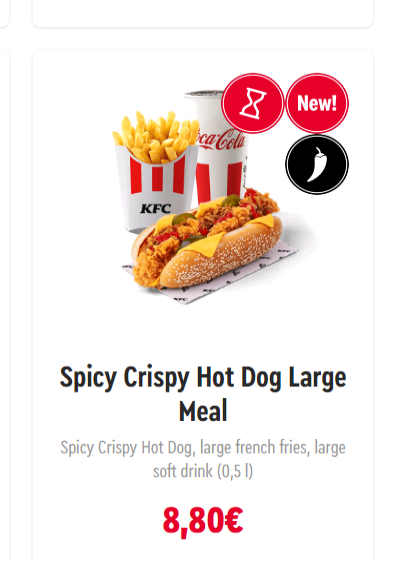
|